Measured Value Block, Reading
Measured Value Block, Reading
• To check the speed signal after the ignition is switched on, drive the vehicle several meters at least at a walking pace (more than 5 km/h).
• Installation locations of activated components => [ A/C System Control and Regulation Components ] A/C System Control and Regulation Components.
- With the ignition switched off, connect the Vehicle Diagnosis, Testing and Information System (VAS 5051A) e.g. with the diagnostic cable (VAS 5051/5A) and the K-wire adapter (VAS 6017B) (or the K-wire adapter (VAS 6017A)) to the 16-pin data link connector (DLC) => [ VAS 5051A, Connecting and Selecting Functions ] VAS 5051A, Connecting and Selecting Functions.
- Switch on ignition or start engine.
- Set operating mode "Auto" on A/C control head Climatronic Control Module (J255).
- Select Address word "08" for A/C heater/electronics => [ VAS 5051A, Connecting and Selecting Functions ] VAS 5051A, Connecting and Selecting Functions.
Indication on display of Vehicle Diagnosis, Testing and Information System (VAS 5051A):
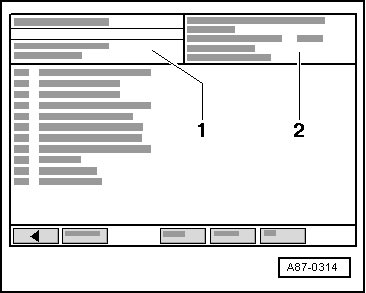
- Check DTC memory => [ DTC Memory, Interrogating ] DTC Memory, Interrogating.
- Select function "08 - Read Measuring Value Block".
Indication on display of Vehicle Diagnosis, Testing and Information System (VAS 5051A):
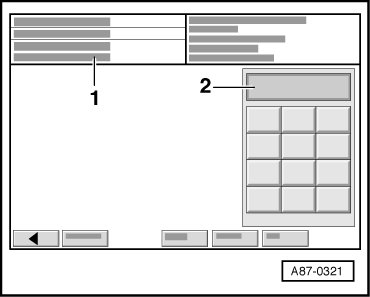
• Display field - 1 - indicates request to input display group.
• Display field - 2 - shows input keyboard.
- Via the input keyboard in display field - 2 -, enter the desired display group (e.g. "01" or "001" for " display group number 001") => [ Display Group Overview ] Display Group Overview and confirm by pressing the Q button.
Indication on display of Vehicle Diagnosis, Testing and Information System (VAS 5051A):
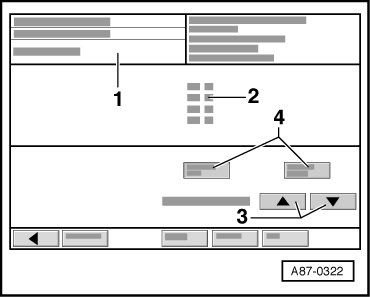
• Display field - 1 - shows the display group selected.
• Display field - 2 - displays the values of the four display fields:
- Value for display field "1" is displayed in the first row.
- Values for respective display zones appear on second, third and fourth lines.
- If no display appears in this row, a display field is not assigned.
• Pressing button - 3 - changes to a different display group.
• Press button - 4 - to change to a different function (e.g. from "Read Measuring Value Block" to "Basic Setting " and back again).
- Input the display group number (overview) => [ Display Group Overview ] Display Group Overview.