Brakes - Front Drag
88chevy16Number: REISSUE 88-74-5
Section: 5
Date: JULY, 1988
Subject: FRONT BRAKE DRAG
Model and Year: 1987-88 BERETTA, CORSICA
TO: ALL CHEVROLET DEALERS
Chevrolet Dealer Service Bulletin 88-74-5, dated November, 1987, is being reissued to include additional service information to assist in the repairs of the above subject. All copies of 88-74-5 dated November, 1987, should be discarded and replaced with this bulletin.
Condition: The brakes may stay slightly applied on the subject vehicles causing brake drag. Depending on the amount of the apply force, the results may range from early brake pad and rotor wearout, to decreased brake pad life.
Cause: The brake lamp switch may be holding the brake pedal slightly applied. The switch retaining clip may not allow the switch to return to its correct position by the usual adjustment procedure of pulling up on the brake pedal.
Correction:
1. Pull up (rearward) on the brake pedal, with a force of 65-90 N-m. (15-20 lbs.). If no "click" is heard, perform steps 2 through 4.
2. Remove the hush panel.
FIGURE 1:
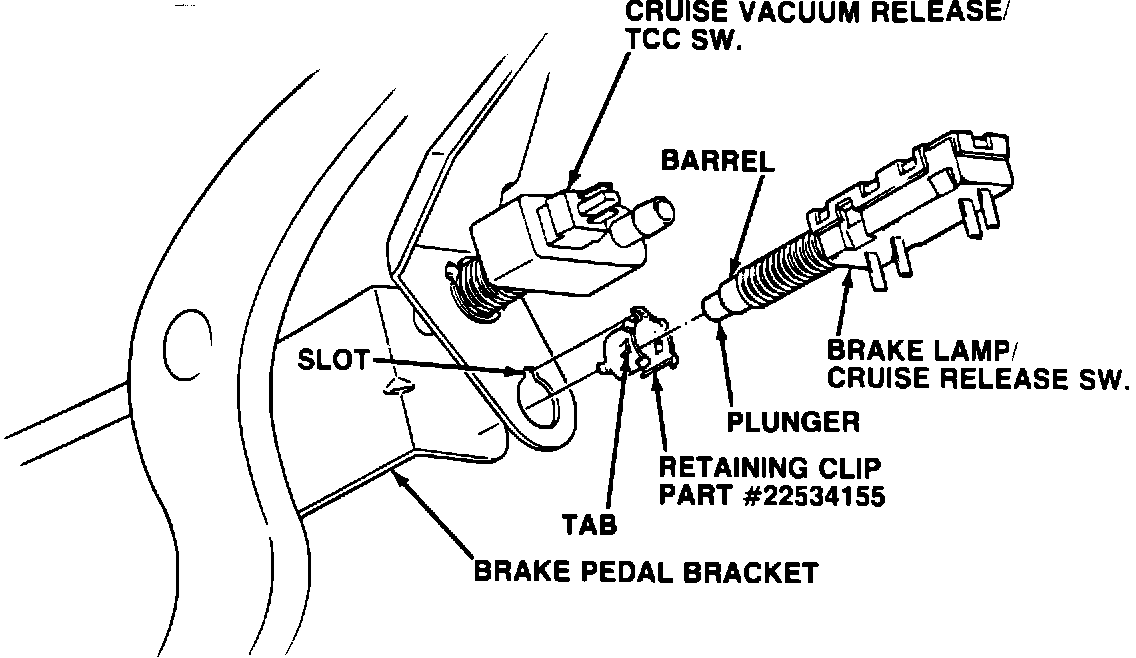
3. Move brake switch rearward, far enough in the clip so that the brake pedal returns to its normal position. If the switch is difficult to move rearward, remove the switch completely. Then remove and discard the retaining clip. Reinstall a new clip, P/N 22534155, insuring that neither of the tabs go into the slot in the switch mounting bracket hole (See Figure 1) .
Parts are currently available from GMSPO.
FIGURE 2:
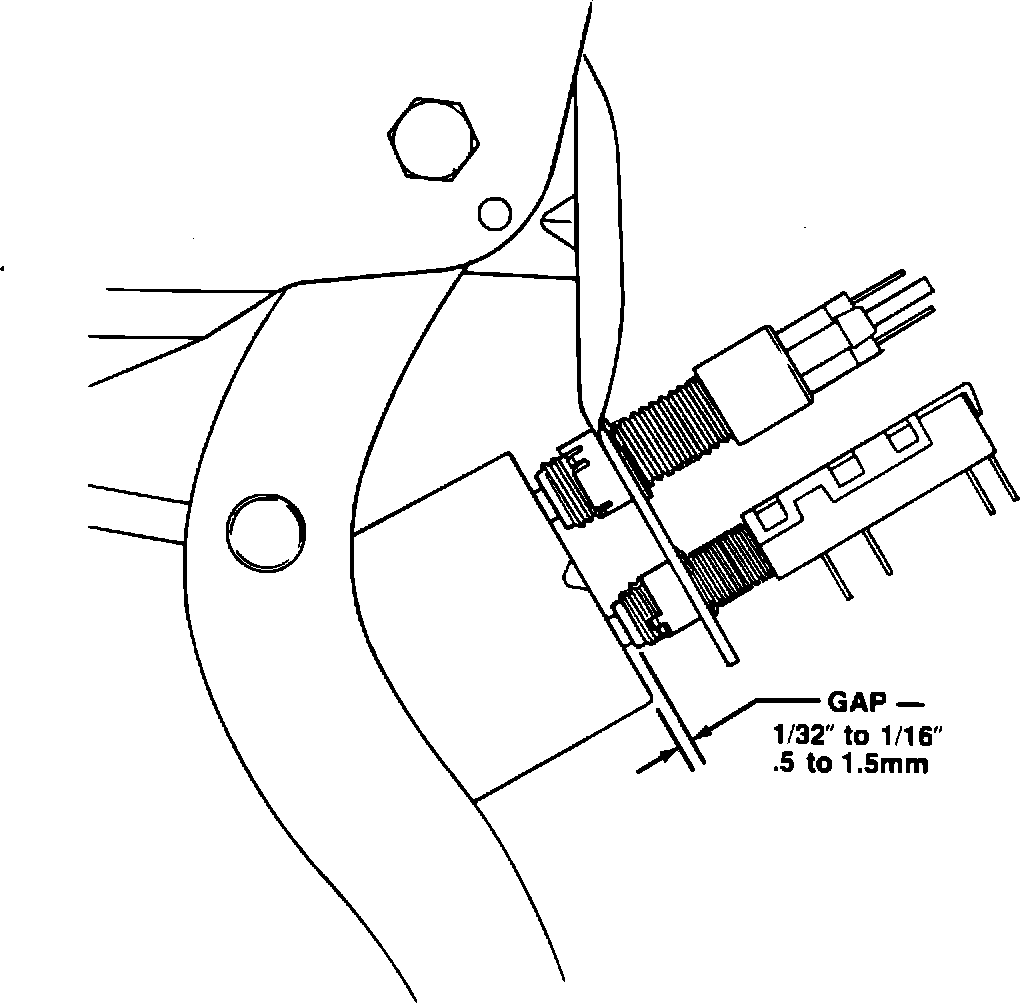
4. Reinstall the switch into the retaining clip, and adjust the switch by pulling rearward on the brake pedal until there is a small gap (less than 1/16") between the end of the threaded switch barrel and the brake pedal bracket (See Figure 2). A normally adjusted switch will have no gap; however, a small gap will insure that the brake pedal is not being held in. Check the brake lamps and cruise control system for proper operation.
Use Applicable Labor Operations.