Radio/Stereo: Description and Operation
Rear Entertainment SystemSystem Description
The rear entertainment system is composed of a special audio unit, a DVD player unit, a rear controller, and a screen.
Audio unit:
Provides rear system power
Provides control for the rear functions
Allows the rear display to show information about the rear system status
Provides a method to stop the rear from having control of the rear system
Operating Method
Audio unit
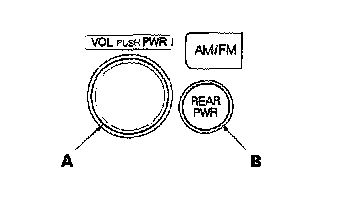
1. Turning the rear entertainment system ON.
After the main power switch "VOL PUSH PWR" (A) is turned ON, push "REAR PWR" switch (B) to turn the rear system ON. To turn the rear system OFF, push "REAR PWR", and to turn the whole system OFF, push "VOL PUSH PWR".
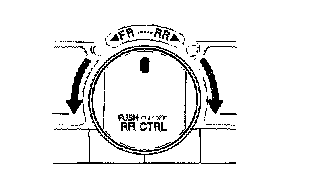
2. Using the selector knob.
Turn left to select the front controls (Audio).
Turn right to select the rear controls (After rear operation is finished, selector will automatically return to the front control in 10 seconds).
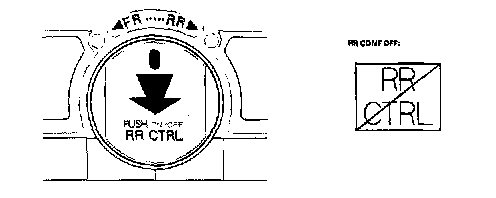
3. Rear Control Enable/Disable.
By pushing the selector knob, the driver can prevent the rear passengers from operating the system. Each push of the selector knob cycles the switch ON-OFF (Rear Control Enable/Rear Control Disabled). When rear operation is prohibited, the LCD on the audio unit displays "RR CONT OFF".
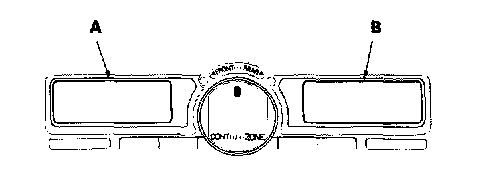
4. Viewing the twin displays.
The two displays indicate the status of the front (A) and rear (B) systems.
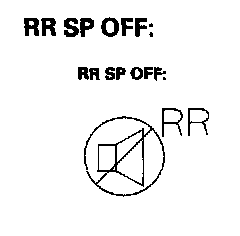
5. Rear speaker automatic OFF Function.
By turning the rear speakers OFF you can reduce the interference between the front source and the rear source (Headphone). The speaker will be turned ON/OFF automatically when the front and rear have different sources selected. When the rear speaker is in the OFF mode, the LCD display on the audio unit displays "RR SP OFF".