DVD Player: Service and Repair
NOTE: This article contains updated information called out in TSB TECLTB00184.
Digital Versatile Disc (DVD) Player
Removal
1. Remove the RH lower rear quarter trim panel.
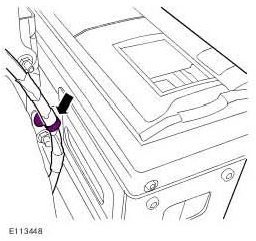
2. Release the DVD player harness.
- Release the clip.
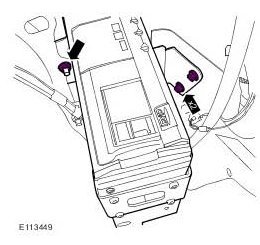
3. Release the DVD player from the body.
- Remove the 2 bolts.
- Remove the nut.
4. Detach the DVD player from the body.
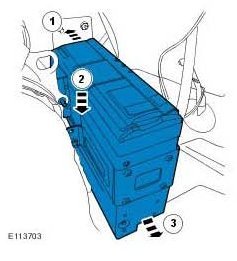
CAUTION: Make sure that the fiber optic cables are not bent to a radius of less than 25 mm.
CAUTION: Make sure that the optical connectors are clean and free of foreign material.
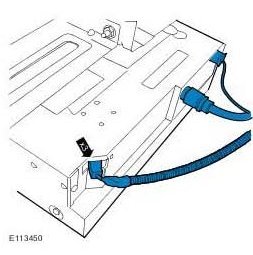
5. Remove the DVD player.
- Disconnect the 3 electrical connectors.
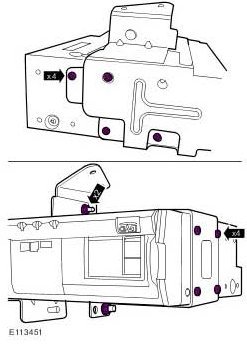
6. Remove the DVD player mounting bracket.
- Remove the 8 screws.
- Loosen the 2 nuts.
Installation
1. To install, reverse the removal procedure.