Pinpoint Test 1
Flowchart No.1 Symptom TNS do not illuminate
Possible cause
^ Burnt TAIL 15A fuse
^ Damaged TNS relay
^ Damaged combination switch
^ Open or short circuit in wiring harness
^ Poor connection of connector
Tail Light Fuse Location:
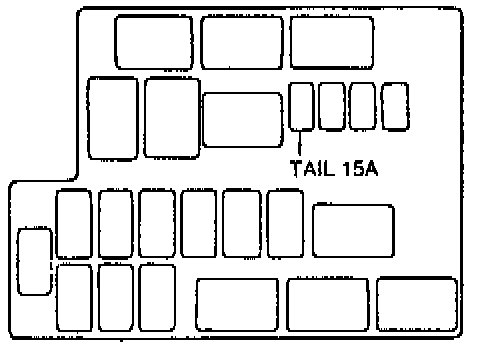
Action Chart:

Step 1
Check the TAIL 15A fuse in the main fuse block.
Step 2
1. Remove the TNS relay.
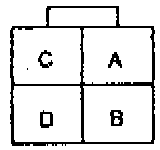
Terminal Identification:
Action Chart:
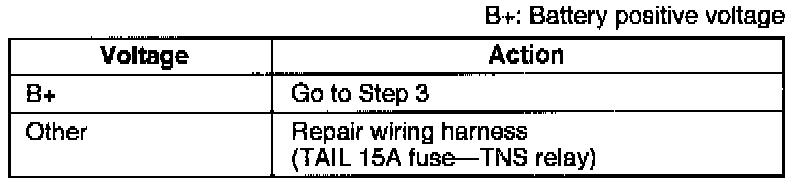
2. Measure the voltage at terminals A(W/L) and C(W/L) of the TNS relay connector.
Step 3
Terminal Identification:
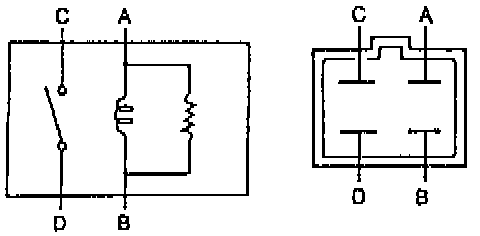
Reference:
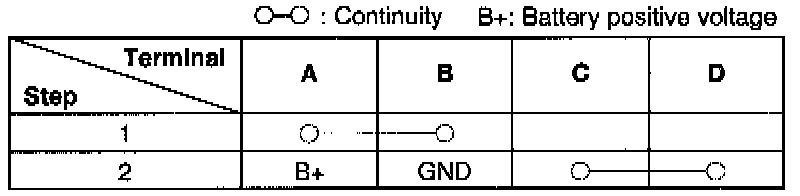
1. Apply battery positive voltage and check for continuity between the TNS relay terminals.
2. If correct, install the TNS relay and go to Step 4.
3. If not as specified, replace the TNS relay.
Step 4
1. Remove the column cover.
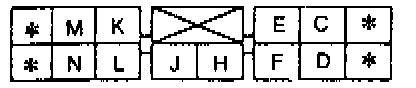
Terminal Identification:
Action Chart:
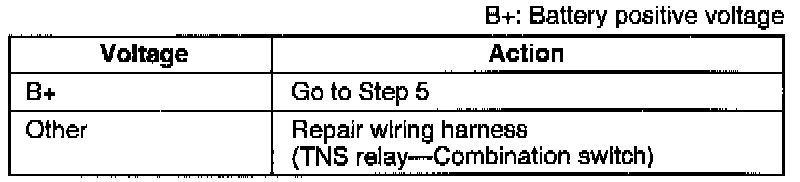
2. Measure the voltage at terminal C(LG) of the combination switch connector.
Step 5
1. Disconnect the combination switch connector.
2. Turn the headlight switch on (first position).
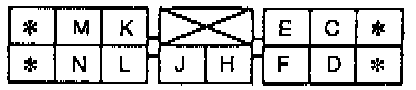
Terminal Identification:
Action Chart:
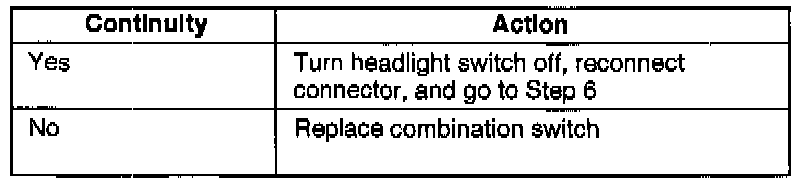
3. Check for continuity between terminals C(L/G) and E(B) of the combination switch.
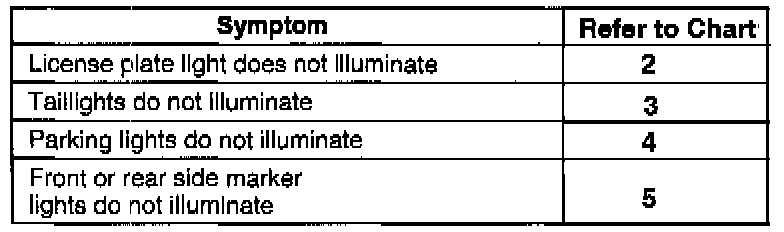
Step 6
Refer to the appropriate flowchart.