Storage Compartment With USB Connector
Radio, Multimedia, Navigation
Storage Compartment with USB Connector
Special tools, testers and auxiliary items required
• Radio Removal Tool (3316)
The storage compartment with USB connection is installed in the folding center armrest.
Removing
Before starting repair work, perform the following:
- Switch off ignition, switch off all electrical consumers and remove ignition key.
- Open foldable center armrest completely.
- Remove storage media and their wire connections from the USB connection as necessary.
- Insert extracting tools into slots - arrows -.
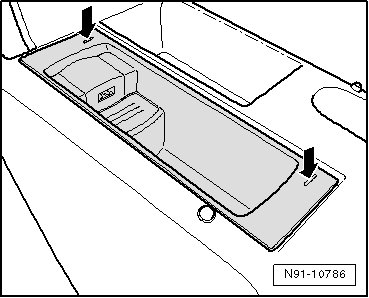
For the sake of clarity, the storage compartment is depicted in the removed state for the following work step.
- Push extracting tools apart in - direction of arrow - so that the locking mechanism disengages easily. Then pull the complete insert out of center armrest with extracting tools pressed.
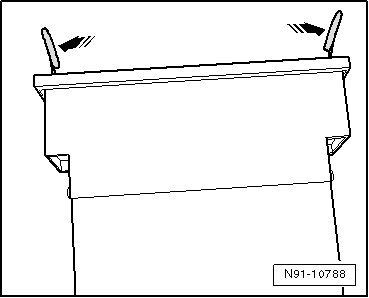
- Disconnect electrical connector.
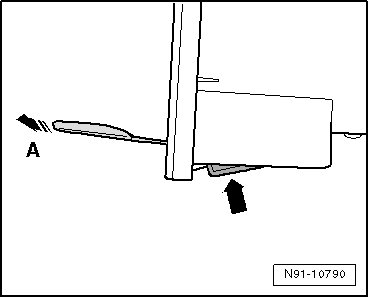
- Push the spring on the removed insert in - direction of arrow - and while doing so pull extracting tool out in - direction of arrow A -.
Installing
Install in reverse order of removal.
- Place the insert into center armrest so that the USB connection is in the rear.