Antilock Brakes / Traction Control Systems: Testing and Inspection
Vehicle Diagnosis, Testing and Information System
Vehicle diagnostic tester connecting and selection functions.
Special tools, testers and auxiliary items required
• Vehicle Diagnostic, Test and Information System (VAS 5051)
• Diagnostic Cable (VAS 5051/1) or (VAS 5051/3)
• During a test drive, the testing and measuring equipment must always be secured on the back seat.
• These devices may be operated only by a passenger during a test drive.
- Connect (VAS 5051/1) or (VAS 5051/3) to Data Link Connector (DLC).
- Turn on tester - arrow -.
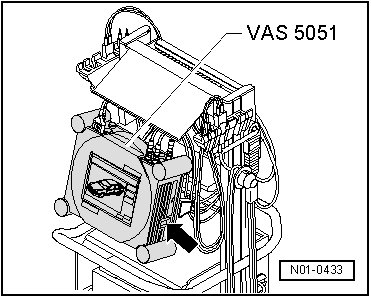
The tester is operational when it displays a picture of a car.
- Turn on the ignition.
- Touch Guided Fault Finding.
- Select in succession:
• Brand
• Type
• Model year
• Version
• Engine Code
- Confirm data entered.
Wait until the tester has checked all control modules in the vehicle.
- Press GO TO and select "function/component selection".
- Select on display "Running gear"
- Select on display "Brake system"
- Select "01-On Board Diagnostic (OBD) capable system..." indicated on display.
Either:
- Select on display "Anti-lock brake system...".
Or:
- Select on display "Electric Park/Parking Brake"
- Select "function" indicated on display.
Now, all possible functions of the anti-lock brake system installed in the vehicle will be displayed.
- Select desired function on display.