Driver Side Instrument Panel Cover
Driver Side Instrument Panel Cover
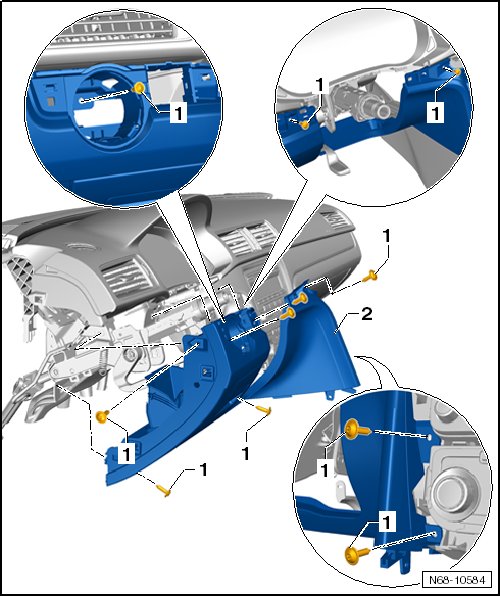
• For reasons of clarity, the steering wheel is not depicted in the illustration, it is not necessary to remove it.
Removing
- Turn off the ignition.
- Remove the side instrument panel cover on the driver side.
- Remove the trim from the instrument panel on the driver side.
- Remove the trim from the center of the instrument panel.
- Remove center console. Refer to => [ Center Console ] Service and Repair.
- Push the headlamp switch (E1) forward and turn it to the right until it is vertical, then pull it out and disconnect it.
- Remove the screws - 1 - (1.5 Nm).
- Remove the instrument panel cover on the driver side - 2 - and disconnect the wiring harness from the instrument panel and switch illumination dimmer switch (E20).
Installation
- Install in reverse order of removal.
• Check all the fasteners for damage and replace if necessary.