Mode 4 - Individual Activation of Components & Setting of Code
Individual activation of components and setting of code transmission rate (Gear selector lever must be in position P or N when testing automatic gearboxes)J1
(Example is for Automatic Transmission)
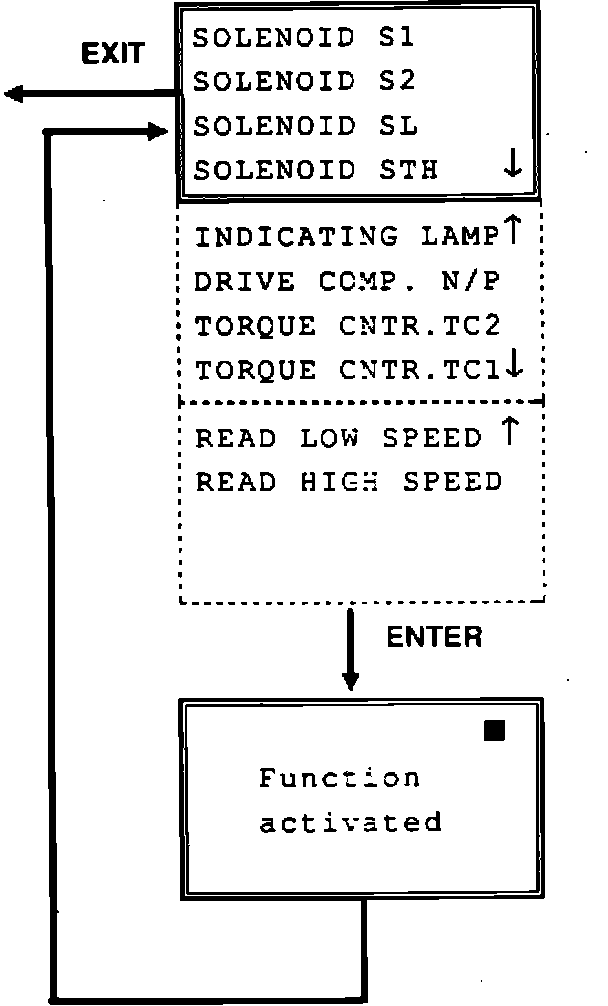
Use arrow keys to move cursor to appropriate component. Press ENTER to activate. Select new component or press EXIT to return to previous menu.
(see scan tool display information step E1)
J2
Message indicates that component has been activated. Indicator in top right-hand corner flashes simultaneously.